Recipe · square · 2 layers
Success celebration
The "done!" moment: order placed, payment received, level complete, onboarding finished — a drawn check with a confetti burst.
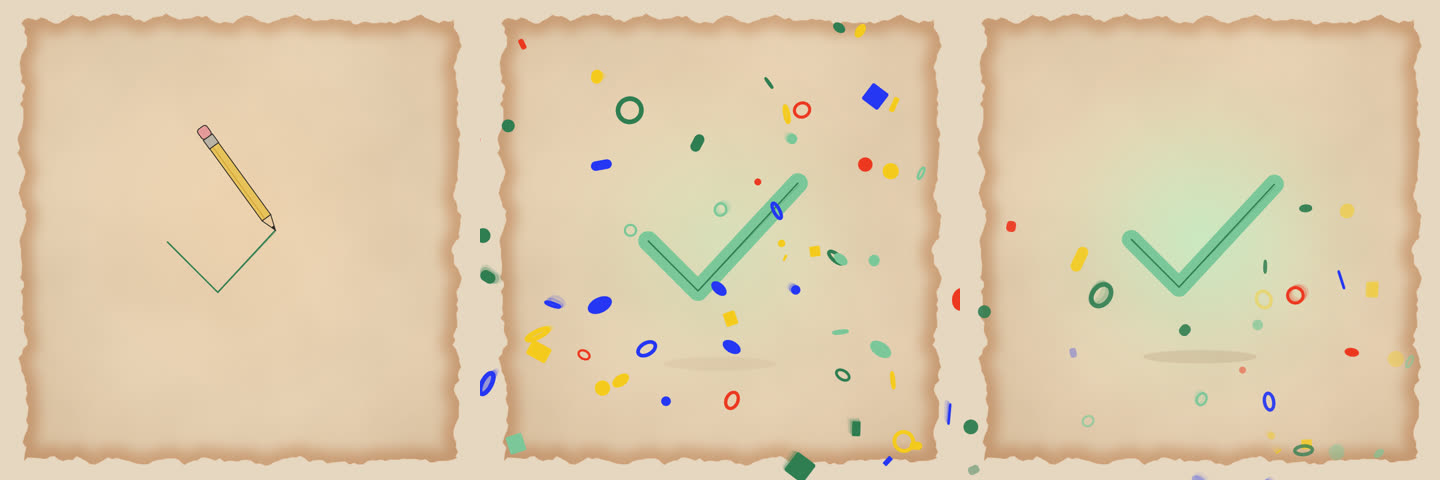
Motions in this recipe


Use it in Remotion, React or HTML
CLI
# render the recipe to out/success-celebration.mp4 (run in the library folder)
node cli/mgl.mjs recipe success-celebration

# copy just this recipe's source into a Remotion / React project
node cli/mgl.mjs add success-celebration --to ../my-app/src
React
import {MotionMix} from 'opus-motion-library/web';

<MotionMix recipe="success-celebration"
  playOnView
/>
HTML
<script src="opus-motion.element.js" defer></script>

<opus-motion recipe="success-celebration">
</opus-motion>
recipes/success-celebration.json
{
  "id": "success-celebration",
  "title": "Success celebration",
  "useFor": "The \"done!\" moment: order placed, payment received, level complete, onboarding finished — a drawn check with a confetti burst.",
  "format": "square",
  "duration": 150,
  "background": "#E9D3B6",
  "tags": [
    "success",
    "celebrate",
    "done",
    "check",
    "confetti",
    "complete",
    "party",
    "state"
  ],
  "web": {
    "loop": "once"
  },
  "layers": [
    {
      "motion": "heart-draw-fill",
      "role": "subject",
      "props": {
        "icon": "check",
        "color": "#7CC79A",
        "outlineColor": "#2F7D52",
        "glowColor": "#BFF0C8",
        "size": 0.42,
        "sparkleCount": 0
      }
    },
    {
      "motion": "confetti-burst",
      "role": "accent",
      "from": 46,
      "props": {
        "background": "transparent",
        "showSubject": false,
        "count": 70,
        "power": 0.8,
        "y": 0.5,
        "delay": 0,
        "palette": [
          "#2F7D52",
          "#7CC79A",
          "#F5CA1E",
          "#ED3821",
          "#2536F4"
        ]
      }
    }
  ],
  "notes": "For an in-app overlay use just the confetti layer: <MotionPlayer motion=\"confetti-burst\" overlay loop={false}/> over your UI. icon can be check | heart | star | bolt."
}